

by Faizan Hassan
Feb 6, 2026

Reviewed by Ford
Truck Dispatch Specialist
The trucking industry runs on accuracy, compliance, and productivity, and one regulation combines them all through the Electronic Logging Device (ELD). Still, many owner-operators and carriers are struggling to understand what ELDs are, how they work, why they matter, and how they impact daily operations.
Ignoring ELD requirements is no longer an option with regulatory enforcement and penalties becoming more costly for non-compliant drivers. ELDs are designed to record driving hours, eliminate logbooks, reduce human error, and protect against unintentional violations.
In this ultimate guide, we’ll break down what ELDs are, how they work, who needs them, and what the ELD mandate process is for your trucking business. So you can stay precise, compliant, and competitive before competitors.
Understanding ELDs in Trucking
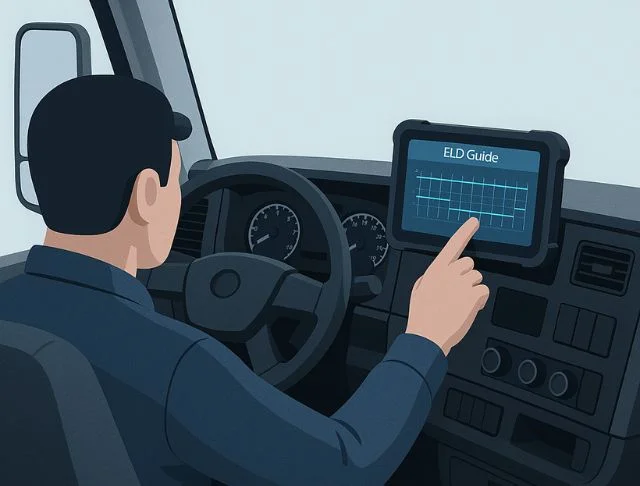
Many owner-operators and drivers who operate commercial vehicles are required to have ELDs in each vehicle. ELDs are considered essential for improving the safety of professional truck drivers.
ELDs are suitable for managing data while driving, and they show the evolution of technology in the trucking industry. If you own a fleet of vehicles as a growing business, it’ll become easier for you to regulate the number of hours drivers are on the road without adequate rest.
What is an ELD?
An electronic logging device is used by individuals who operate commercial vehicles. These devices record hours of service (HOS) and driving time automatically.
This device syncs with the truck’s engine and records all essential information, like driving activity, location, miles driven, and engine hours.
The ELD device helps dispatchers and drivers stay informed about a driver’s status in real-time. The device then delivers stored data to the server, where duty status logs are made, updated, and transferred to the ELD mobile app for user access and monitoring.
How an ELD Works
ELDs use GPS technology to record information about the vehicle’s engine, such as driven miles, location, ignition status, and engine hours. These devices are typically attached to the vehicle’s diagnostic port or through a wireless connection.
The ELD collects and stores the data securely and ensures accurate and efficient recording of the driver’s engine hours. Drivers can access their information from the ELD mobile app on their smartphones.
Information Captured by an ELD
To ensure data accuracy and driver safety, the ELD stores various types of data, including:
- Date, time, and location information
- Engine hours and driven miles
- Identification of drivers, authorized users, vehicles, and motor carriers
- Safety incidents, such as harsh braking and accidents
- Engine start/shutdown, duty status changes, and personal use
Devices That Can Function as an ELD
Different types of ELDs meet the needs of various drivers and carriers, offering unique features:
- Bring Your Own Device (BYOD) ELDs: They are paired with an engine-connected device and use a smartphone or tablet. The device works as the interface for recording and viewing data. This setup makes it a cost-effective and flexible option for drivers.
- Integrated ELDs: These devices are connected to the vehicle’s engine and provide accurate tracking of hours of service (HOS) by recording engine data, speed, and location.
- Dedicated ELD Units: These are standalone devices with their own display and are permanently or semi-permanently installed in a vehicle that record drivers’ HOS. They record automatically by connecting directly to the engine control module (ECM).
- ELD Apps: Many ELDs come with mobile apps that provide exceptional features, such as route optimization, diagnostics, and safety alerts. These types of apps enhance the usability for drivers.
Legal and Compliance Requirements
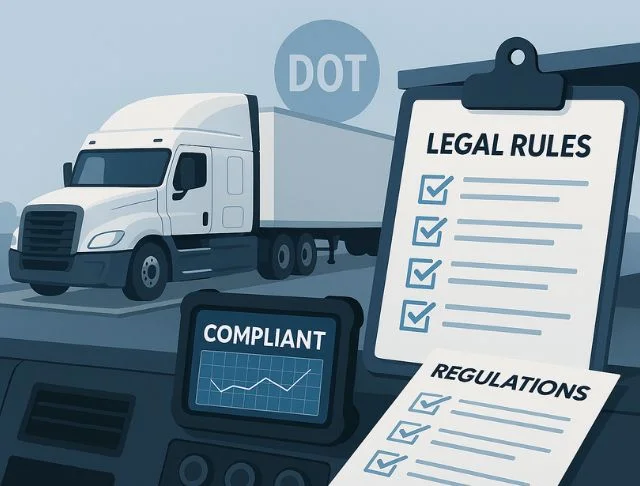
Staying compliant involves more than just having a device. Here’s what every commercial driver requires:
- FMCSA Approved Device: Only devices listed on the FMCSA ELD registry are legal. The FMCSA updates this list regularly, and some ELDs are removed due to non-compliance with the regulations. Every driver should check the provider twice a year.
- Accurate Records: Drivers must record all duty status changes promptly and correctly.
- Supporting Documents: In addition to ELD logs, keep fuel receipts, dispatch records, bills of lading (BOL), and other supporting documents for at least 6 months.
- Data Transfer: Drivers must be able to transfer logs electronically or display them on the screen during inspections. Practice this in advance to avoid fines or delays.
- Make a Backup: If the ELD breaks down, convert to paper logs immediately, report the issue, and replace or repair the unit within the required timeframe.
ELD Mandate: When It Is Required
The ELD mandate is a set of regulations issued by the United States federal government that requires an ELD for most commercial vehicle operators.
The ELD mandate took effect on December 18, 2017, and applies when a driver is required to keep hours of service (HOS) logs.
Under this mandate, commercial truck drivers must stay within specified limits on driving hours before stopping for rest.
The e-log for drivers’ HOS is a permanent and ongoing record of the hours they’ve driven, when they were on duty (but not driving), and the duration they have rested during trips.
Legal Rules for ELD Use
When a driver uses an ELD, they must have access to information about the device’s use and comply with relevant legal regulations. The ELD must include the following features to ensure legal compliance while driving the vehicle:
- The ELD must be registered on the FMCSA list.
- An ELD must be integrally connected with the vehicle’s engine to automatically record engine hours and miles driven.
- Driving time must be recorded automatically.
- Required documents include driver ID, vehicle ID, duty status changes, and malfunctions.
- The driver must be able to log in and select duty status, and view current and the previous 7 days of logs.
- During a roadside inspection, the ELD must display logs on the screen.
- Driving time shouldn’t be edited; all edits must retain the original record, and ELD records must be kept for at least 6 months.
- Drivers need supporting documents such as BOLs, fuel receipts, and dispatch records.
Exemptions to the ELD Mandate
Drivers who use paper logs for no longer than 8 days within 30 days, and who operate a commodity vehicle or a motorhome with at least one axle on the ground, do not need to use an ELD.
Vehicles that were manufactured before the model year 2000 are also exempt from electronic logging device requirements.
Certain organizations, such as the Truck Leasing and Renting Association, the Motion Picture Association, and UPS, have received specific exemptions from the Department of Transportation.
In some cases, employers may still choose to require electronic logbooks for these vehicles and drivers, even though certain drivers are exempt from ELD requirements.
Penalties for Non-Compliance
If drivers and trucking companies fail to comply with the ELD mandate, it can result in serious consequences. For road safety and to ensure compliance, the FMCSA has designed and enforces strict penalties to implement the ELD mandate. Common penalties for non-compliance include:
- Fines and Penalties: Drivers and trucking companies can face fines for operating with a non-compliant ELD or for interference with ELD data. These fines depend on the violation intensity and can reach thousands of dollars per offense.
- Driver Disqualification: Repeated violations can cause serious issues like driver suspension or disqualification, reducing drivers’ availability and increasing hiring costs.
- Inspection Frequency: Non-compliant fleets can face more frequent FMCSA vehicle inspections.
- Out-of-Service Orders: If the driver or vehicle is found non-compliant during roadside inspections, they may be placed out of service, and operations may be halted until compliance is achieved.
- CSA Score: Compliance and safety could be affected if violations related to ELD increase. This can lead to higher insurance premiums and reputational damage.
Costs and Types of ELDs
The cost of an ELD depends on the type of device and its features. Explore established providers and compare their offers to find the best pricing options for ELDs.
How Much Does an ELD Costs
The cost of an electronic logging device is estimated to be around $419 per year by the FMCSA. On the other hand, ELDs that use local transfer through Bluetooth cost about $166 per year.
When purchasing an ELD solution, the total cost can include device hardware, professional installation, and a monthly software fee.
This shows that an ELD can cost from hundreds of dollars to thousands per vehicle. Therefore, it’s crucial to find the best provider and solution to ensure you’re getting the best value for money.
AOBRD vs ELD: Key Differences
| Feature | AOBRD | ELD |
| Compliance | Met pre-2019 FMCSA requirements | Completely compliant with the current FMCSA ELD mandate |
| Location Accuracy | Updates every 60 minutes while driving | Updates every 60 seconds while driving |
| Log Editing | Drivers and fleet managers could edit logs without verification | Creates a protected audit trail, and edits require drivers’ approval |
| Data Capturing | Records engine use, speed, miles driven, and duty status | Captures engine data, motion, accurate location, and vehicle ID automatically |
| Tamper Safety | Minimal safeguards against unauthorized edits | Secure data transfer and built-in tamper detection |
| Driver Impact | Reduces paperwork, but offers limited automation | Improves accuracy, efficiency, and visibility for drivers and managers |
Using an ELD Effectively
Using electronic logging devices has now become a standard part of commercial trucking. While their primary purpose is to ensure compliance with FMCSA hours of service (HOS) regulations, ELDs can effectively help drivers avoid violations and reduce paperwork.
How to Use an ELD
Violations and inspection issues can cause several problems, so every driver must know how to use an ELD correctly. We’ll walk you through the process step by step:
- Log In to the ELD: Before starting your trip, log in to the ELD and use your assigned credentials. Make sure to select the correct vehicle and enter shipping document details if needed.
- Select the Correct Duty Status: The ELD requires choosing the correct duty status, such as off-duty status, when you’re relieved from driving and resting. On-duty (not driving) includes activities like inspections, fueling, and paperwork.
- Driving Time Automatically: Once the vehicle reaches the minimum movement threshold, the ELD will automatically switch to driving status. Drivers cannot change the driving time manually, which helps ensure compliance with HOS regulations.
- Monitor Your Available Hours: Check your driving hours, on-duty hours, and rest periods before reaching legal limits to avoid HOS violations.
- Review Logs Daily: Review your logs for accuracy and certify them. Make allowed edits to non-driving time if needed and add interpretations explaining any changes.
- Transfer Logs During Inspections: Drivers must be able to display logs during roadside inspections on the ELD screen or transfer them via email, USB, or Bluetooth.
- Log Out: Log out of the ELD when your shift is completed. This prevents incorrect records and unassigned driving time after your workday ends.
- Report ELD Malfunctions: If your ELD stops working properly, then notify your carrier within 24 hours and switch to paper logs if required. Prompt reporting helps maintain compliance.
Installing an ELD
Before installing an ELD, make sure that the connector and the device are compatible with the vehicle’s system. Reading the installation instructions thoroughly is essential to prevent any misguidance during installation.
Hiring a professional technician has several advantages, because they already possess the necessary tools and expertise to ensure an accurate installation.
Locating the diagnostic port is the first crucial step in the installation of your ELD. This port serves as the primary connection between the ELD and the vehicle’s system.
Stay proactive in addressing any technical issues and regularly update your system to take full advantage of its features.
ELD Logbooks
An ELD logbook is a digital device, often a tablet, attached to a truck cab. An ELD logbook is a digital record of commercial drivers’ HOS that is automatically created and maintained by an ELD.
It replaces paper logbooks and provides tamper-resistant data about when a driver is driving. An ELD logbook records when a driver is working, driving, resting, or off-duty based on vehicle data.
Common ELD Problems and Solutions
ELD devices ensure compliance with HOS, but they may experience technical issues. Understanding those issues and their solutions can help avoid violations while on the road. Let’s figure out the problems and their solutions:
- Recording Error: The ELD fails to automatically switch to driving status while the vehicle is moving. Check the engine connection or restart the ELD or vehicle.
- Incorrect Duty Status: Sometimes the driver is in the wrong duty status, like On Duty instead of Off Duty. Change the duty status before starting any vehicle movement.
- ELD Malfunctions: The ELD displays a malfunction diagnostic warning. Notify the motor carrier within 24 hours and use paper logs until the ELD is repaired.
- Transfer Logs Failure: The driver encounters an issue when transferring logs to an inspection officer. Learn the log transfer steps in advance and check Bluetooth and internet connectivity.
Drivers who understand the common issues and their solutions can remain compliant and efficient.
Best Practices for Staying Compliant
Being compliant with FMCSA regulations is a critical responsibility of truck drivers and carriers. Always verify that the ELD appears on the FMCSA-registered list, and the driver should log in to the device before moving the vehicle.
Use On Duty for inspections, fueling, loading, and paperwork. Drivers should check driving hours and miles driven. Knowing how to display logs on the ELD screen can help a driver remain compliant, avoid violations, and maintain safe operations.
Features and Benefits
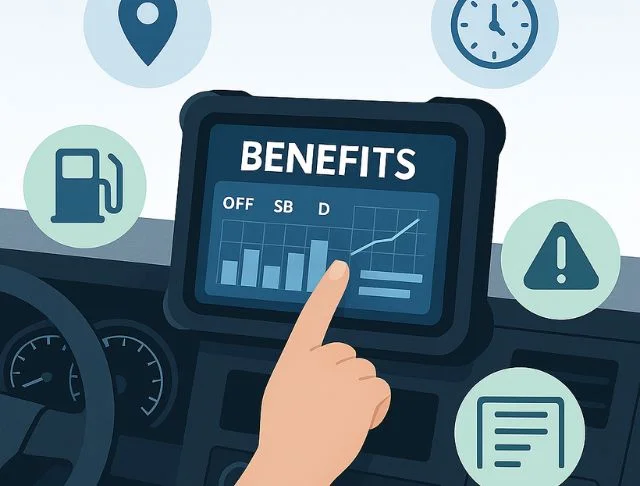
ELDs offer numerous benefits for owner-operators, streamlining operations and staying compliant. We’ll inform you about the features that help maintain the accuracy of HOS.
Key ELD Features
Here are some key advantages that help carriers avoid violations while operating:
- Synchronized with the engine module
- Records hours of service and miles driven
- Automatically records driving time and details
- Location History
- Electronic data transfer
- Data tampering safety
- Logbooks display
- Simplified inspections
Benefits of Using an ELD
Here are the crucial benefits of using an ELD mandate:
- Driver Compliance: To ensure compliance with FMCSA regulations, the ELD records duty status and HOS automatically.
- Routes: The ELD records the real-time location of the vehicle, helping the dispatcher track it continuously.
- Security: ELDs are valuable assets for the company because they enhance the safety of drivers and vehicles.
- Reporting: Fleet managers can benefit from robust reporting, which can help identify the right routes to cut the cost of travel and improve operations.
ELD and Hours of Service (HOS)
ELD and hours of service HOS works together to promote safety and make drivers compliant while commercial trucking. Understanding how these two are connected is important for staying compliant with FMCSA regulations.
Hours of service limit how long a commercial driver can work or drive. The goal is to prevent violations and improve road safety.
Choosing the Right ELD
Choosing the right ELD is a critical step that can help you operate your trucks smoothly. It’s essential to know which companies provide the best ELDs.
Top ELD Companies
Here are some leading ELD providing companies in the US marketplace:
- Samsara
- Motive
- Geotab
- Verizon Connect
- Omnitracs
- Zonar Systems
- BigRoad DashLink
- HOS247
- Matrack ELD
- EROAD
The Top 5 ELDs for Owner-Operators
The top 5 ELDs for owner-operators, especially for solo drivers who need compliance, ease of use, and affordable pricing:
- Garmin eLog
Best for: Owner-operators who don’t want monthly fees
- Motive ELD
Best for: Driver friendly app and strong support
- Transflo ELD T7
Best for: Budget conscious operators who want optional features
- BigRoad DashLink
Best for: Low cost and lightweight compliance
- Konexial My20 ELD
Best for: A straightforward and solution-based app